
Let’s say it out loud: your Apple Watch is not your cardiologist.
But it can be the most annoying (and useful) little health assistant you’ve ever worn on your wrist.
In the Current era of wearables, Apple Watch has moved beyond “steps and vibes” into something more serious: heart rhythm screening, heart rate alerts, ECG recordings, and even sleep-related risk flags — all designed to nudge you toward earlier action, not to replace medical care.
So what does it actually do well?
Where does it get people in trouble?
And how do you use it without spiraling into a 2 a.m. Google panic?
Let’s break it down like clinicians do: useful signal vs noise.
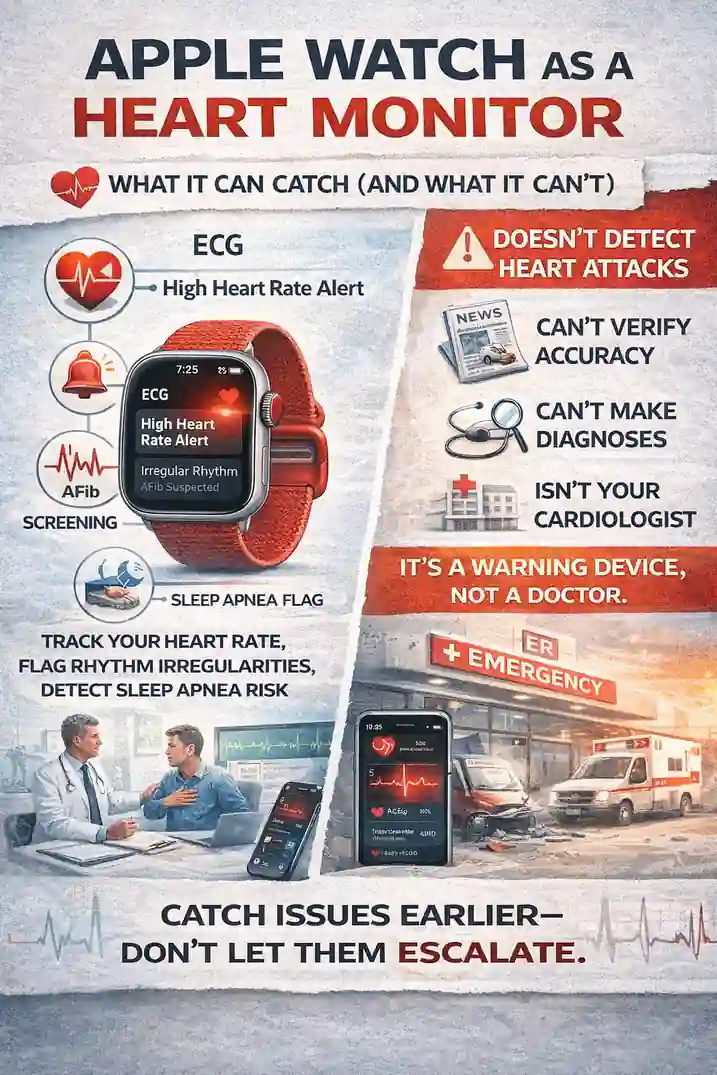
What Apple Watch Tracks for Your Heart (The Tools That Matter)
1) Heart Rate Monitoring (All day, quietly, in the background)
As of now (early 2026), your watch checks heart rate during rest, walking, workouts, and recovery. It also tracks trends like resting heart rate and cardio recovery, which can be surprisingly helpful when you’re looking for changes over time.
2) High/Low Heart Rate Notifications
This is one of the most practical features for normal people living normal lives. If your heart rate spikes while you’re not active, or drops unusually low, the Watch can notify you. It’s a “hey, pay attention” moment — not a diagnosis.
3) Irregular Rhythm Notifications (AFib screening, not constant surveillance)
Apple Watch can occasionally check for rhythm irregularity that may look like atrial fibrillation (AFib). It does not monitor every heartbeat 24/7, and it’s not meant for people already diagnosed with AFib.
4) ECG App (The headline feature)
On supported models, you can record a single-lead ECG and get a rhythm classification such as AFib or sinus rhythm. It’s not a 12-lead EKG, but it can create a shareable strip that helps a clinician take you seriously faster.
5) Sleep Apnea Notifications (the “why am I exhausted?” helper)
Apple Watch can look for patterns of breathing disturbances during sleep and notify you if they show consistent signs associated with moderate to severe sleep apnea risk. Again: not a full diagnosis — but a useful flag, especially for people who never suspect sleep apnea.
6) Hypertension Notifications (newer and still evolving)
Some Apple Watch models now support hypertension notifications designed to alert users if patterns suggest chronic high blood pressure risk. It’s not a cuff. It’s an early warning system that pushes you toward confirmation with a proper device.
The Big Mistake: Treating the Watch Like an ER
Here’s the safest mindset:
✅ Apple Watch is great at noticing trends and irregularities.
❌ Apple Watch is not built for “Am I having a heart attack?” decisions.
If you have chest pressure, fainting, severe shortness of breath, one-sided weakness, or new confusion — don’t check your watch. Get urgent medical care.
Your wrist doesn’t get the final vote.
“Is This Alert Real?” Two Very Common Scenarios
Scenario A: The “I’m Not Even Doing Anything” High HR Alert
You’re sitting at your desk. The Watch taps: “High Heart Rate.”
Your brain says: This is it. It’s happening.
Before you spiral:
-
Were you dehydrated?
-
Did you just drink caffeine like it’s a hobby?
-
Are you sick, stressed, or sleep deprived?
If it repeats, lasts, or comes with symptoms (dizziness, chest pain, fainting), that’s when you escalate.
Scenario B: The “Irregular Rhythm” Notification
This one matters more. Not because it’s always correct — but because it’s worth verifying.
-
Save the ECG strip (if you can take one).
-
Log symptoms (palpitations, fatigue, shortness of breath).
-
Bring it to your clinician.
This is where Apple Watch can shorten the time between “something feels off” and “we have documentation.”
How to Use Apple Watch Like a Smart Patient (Not a Nervous One)
Do this:
-
Turn on heart notifications (high/low + irregular rhythm).
-
Take an ECG when symptoms happen, not only when you feel fine.
-
Look at trends monthly, not obsessively hourly.
-
Export and share data when needed (your clinician will love the clean timestamps).
-
Use the Watch to improve inputs: sleep, hydration, movement, stress.
Avoid this:
-
Chasing every number like a stock chart.
-
Ignoring symptoms because “the watch didn’t beep.”
-
Assuming normal = safe.
-
Assuming alert = emergency.
Your watch is a screening tool, not a verdict.
Why Doctors Are Paying Attention to Wearables
The medical value isn’t that a watch replaces clinical work.
It’s that it creates earlier awareness.
Historically, many rhythm problems come and go. The patient feels “weird,” then normal again by the time they see anyone. Wearables help capture that moment.
Even when the Watch is wrong, it can still do something important:
get patients to stop ignoring symptoms.
That alone saves time, and sometimes outcomes.
Quick FAQ (Because Everyone Asks These)
Can Apple Watch detect AFib?
It can flag rhythm patterns that may look like AFib and can record an ECG strip on supported models. It’s helpful — not definitive.
Will Apple Watch warn me before a heart attack?
No. It can’t reliably detect heart attacks. Don’t use it to rule out emergencies. If symptoms are concerning, seek care.
How do you handle “patient disputes” with watch alerts?
Treat the Watch like a starting point: confirm symptoms, capture an ECG if possible, and verify with medical evaluation — not assumptions.
What’s the most underrated heart feature?
Honestly? Resting heart rate trends + high heart rate alerts when you’re inactive. It catches “something changed” moments people miss.
Bottom Line (Clinician-Style)
Apple Watch can be a smart tool for:
-
Heart rate trends
-
Rhythm screening
-
Single-lead ECG capture
-
Sleep apnea risk notifications
-
Hypertension risk notifications
-
Earlier conversations with a clinician
Use it as a spotlight, not a judge.
Because the best outcome isn’t “my Watch proved I’m fine.”
The best outcome is: it caught a clue early enough to do something about it.