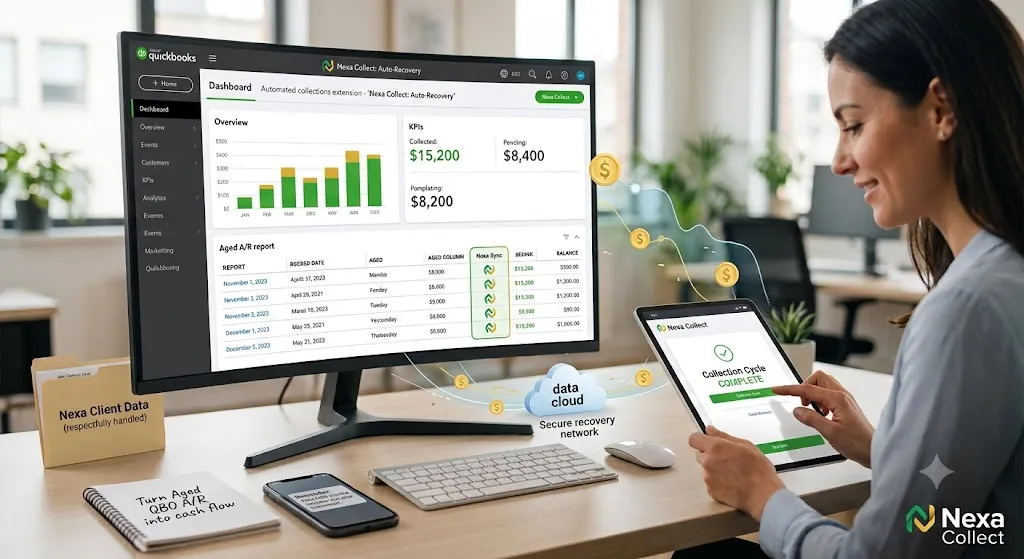
Using QuickBooks Online alongside a collection agency means keeping QBO’s invoicing, reminders, and payment tools exactly as they are for day-to-day billing, while routing a narrow slice of your A/R Aging report, the invoices that have outlasted every reminder and late fee, typically 60-90+ days past due, to a dedicated collections process. This isn’t a live software plug-in inside QuickBooks; it’s a secure export workflow, where your A/R Aging data feeds placement rules that decide which invoices move to collections and which stay in QBO’s own follow-up cycle. According to the 2026 Intuit QuickBooks Small Business Late Payments Report, 59% of small businesses are currently owed money on unpaid invoices, averaging roughly $17,700 per business, so the gap this fills is a common one, not a sign anything is being done wrong.
What QuickBooks Online gets right about A/R
QuickBooks Online genuinely gives you a solid starting toolkit for collections, if you turn it on and use it consistently.
Invoice and A/R basics: create clean invoices quickly, track who owes what and for how long, and run an A/R Aging Summary or Detail report by customer, date range, and balance.
Built-in early collections tools: automatic reminders that schedule polite nudges before and after due dates, automatic late fees applied to overdue invoices based on your own rules, “Pay Now” buttons that let customers pay online by card or bank transfer, and recurring invoices with autopay for retainers and subscriptions.
If you’re only sending an invoice and hoping for the best, you’re using a fraction of what QuickBooks can actually do for collections.
Setting up QuickBooks Online for collections
Think of this as a one-time setup that keeps working in the background.
1. Turn on automated invoice reminders. Stop relying on remembering to follow up manually. Set up two to three reminders around the due date, for example seven days before, on the due date, and seven to ten days after. Configure it once and QuickBooks keeps nudging on its own.
2. Enable online payments on every invoice you reasonably can. If a customer has to find a checkbook, print the invoice, and drive to the bank, momentum is already lost. A “Pay Now” button that takes 30 seconds removes most of that friction.
3. Decide where late fees make sense, and apply them consistently. Not every client needs one, but for chronic late-payers, an automatic late fee signals you’re serious about due dates and offsets some of the extra hassle.
4. Make A/R aging review a weekly habit, not a quarterly surprise. Run the A/R Aging Summary every week, filter for 61-90 and 90-plus days, and flag those as risk accounts. These are the balances quietly turning into bad debt.
When a QuickBooks invoice becomes a collections problem
At some point, reminders, late fees, and payment links stop working. That’s the line in the sand. Common rules small businesses use:
- Time-based rule: if an invoice is 60-90 days past due and the customer isn’t responding or keeps breaking promises, it’s a collection candidate.
- Amount-based rule: very small balances, under $50-$100, typically get one or two reminders before being batched to an agency or written off; larger balances get a phone call and one last email before escalating sooner.
- Behavior-based rule: bounced checks, “the check is in the mail” for months, or total silence after multiple reminders are signs that more software nudges won’t change the outcome.
Once an account crosses these thresholds, it stops being a normal QuickBooks invoice and becomes a recovery project.
What a collection agency does that QuickBooks never will
QuickBooks is excellent at tracking and nudging. Collection agencies exist for the accounts that ignore all of that. A good agency can call, email, and text over a sustained period with a consistent strategy, negotiate payment plans and settlements, use skip-tracing to find customers who’ve moved, escalate a minority of cases toward legal remedies when appropriate, and work directly from your QuickBooks exports rather than starting from scratch.
QuickBooks tells you who owes you money. A collection agency focuses on how to actually get it back. Most businesses eventually need both.
How your QuickBooks data and payments are handled
Every QuickBooks Online export Nexa receives moves through a secure, encrypted channel, not email attachments or unsecured file sharing. Collection activity on consumer-type debts follows FDCPA guidelines alongside applicable state collection laws; commercial, business-to-business invoices are handled under standard contract and commercial collection practice, since the FDCPA governs consumer debt specifically. If your QuickBooks Online account happens to belong to a healthcare-adjacent practice, HIPAA protections and a signed Business Associate Agreement apply automatically to any patient-related balances, the same as on Nexa’s medical-software integration pages. Either way, your export is used only for the accounts you’ve placed.
Where Nexa fits in
To be direct about what this actually is: Nexa does not have a live, embedded software integration inside QuickBooks Online. What we offer is a secure export workflow — you pull an A/R Aging report from QBO using your own placement rules, and send it to us through a secure channel. Nexa Collections is a full-service collection agency, not a referral service or an information hub. Once we receive that export, we take it from there.
What we do:
- Work your QuickBooks Online A/R Aging export directly, using the age, balance, and exception rules you set.
- Contact customers directly across mail, phone, and email, inside applicable collection guidelines, without damaging relationships you may want to keep.
- Handle payment plans, disputes, and negotiation so you’re not the one making the awkward calls.
- Return recovered payments and account status updates so they map back into your QuickBooks records cleanly.
Pricing is straightforward, and you choose the model per account:
- Fixed-Fee Recovery ($15/account): ideal for early-stage receivables. Debtors pay 100% directly to you, with no commission taken out.
- Contingency Service (20%-40%): performance-based recovery for older or harder accounts. No recovery, no fee.
You’re not replacing QuickBooks Online. You’re adding a dedicated recovery layer, connected by a secure export rather than a technical integration, for the invoices that have already aged past what reminders and late fees can fix. This same approach applies to how Nexa’s commercial collections process works for B2B invoices, whether that’s a single client who keeps not paying or larger business-to-business receivables. For exact rates on every tier, see the full breakdown of Nexa’s fixed-fee and contingency pricing.
FAQ
Does QuickBooks Online include a built-in collection agency?
No. QBO’s reminders, late fees, and “Pay Now” links are effective for nudging customers who intend to pay eventually, but they aren’t built to negotiate with someone who has stopped responding entirely. That’s a separate function a collection agency handles.
At what point should an unpaid QuickBooks invoice go to collections?
A common rule is 60-90 days past due with no response after reminders, late fees, and at least one direct contact attempt. Smaller balances are often batched or written off; larger balances typically warrant earlier escalation, around 30-60 days.
Is this a live, technical integration with QuickBooks Online?
No. Nexa doesn’t have an embedded plug-in or API connection inside QuickBooks. The workflow is a secure export: you pull an A/R Aging report using your own placement rules and send it to Nexa through an encrypted channel.
Can Nexa work directly from a QuickBooks Online A/R Aging export?
Yes. Nexa takes a QBO A/R Aging export, filtered by whatever balance and age rules you set, and works the file without requiring manual account-by-account handoff.
Does the FDCPA apply to unpaid QuickBooks invoices?
It depends on the debt. The FDCPA governs collection of consumer debt, personal, family, or household. Business-to-business invoices, common among QuickBooks users, are handled under commercial collection practice instead, though many of the same secure-handling standards still apply.
What’s the difference between the fixed-fee and contingency pricing options?
Fixed-Fee Recovery, at $15 per account, suits early-stage receivables; debtors pay 100% directly to you with no commission. Contingency Service, at 20-40%, is performance-based for older or harder accounts, with no recovery meaning no fee.
Does sending an invoice to Nexa mean I’m replacing QuickBooks Online?
No. QuickBooks Online continues handling invoicing, reminders, and payments as usual. Nexa only takes over specific invoices you’ve already decided are past the point of in-house follow-up.
Will using a collection agency damage customer relationships I want to keep?
Handled poorly, it can. A collection partner that’s blunt about payment plans and reasonable in tone, rather than aggressive, tends to preserve more of the relationship than months of ignored reminders do. Most accounts placed have already gone unresponsive to multiple direct attempts.
Is my QuickBooks data handled securely if I use Nexa?
Yes. Exports move through a secure, encrypted channel rather than email attachments, and data is used only for the accounts placed. If your business is healthcare-adjacent, HIPAA protections and a Business Associate Agreement apply automatically to any patient-related balances.