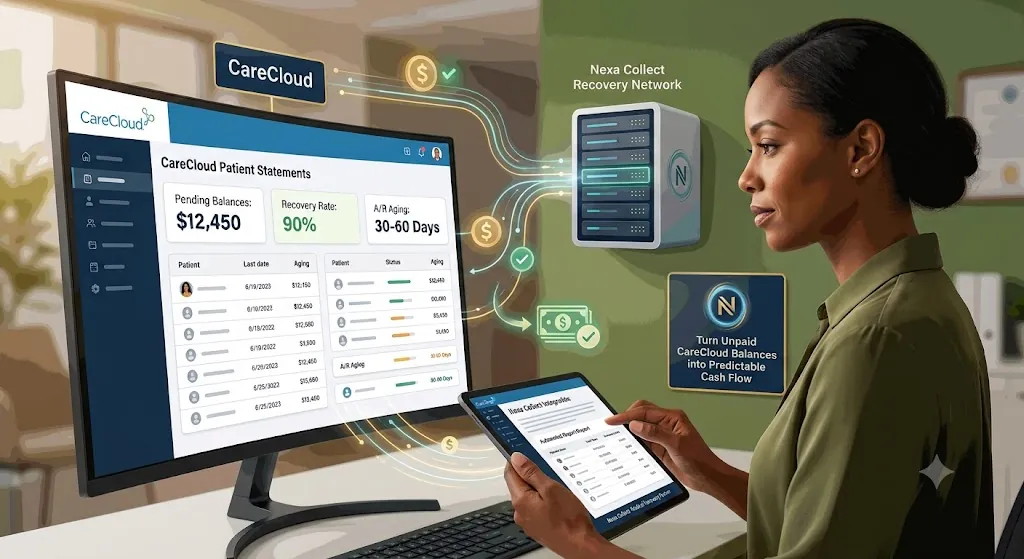
Using CareCloud alongside a collection agency means keeping CareCloud’s EHR, practice management, and RCM tools exactly as they are for claims, billing, and patient engagement, while routing a narrow slice of the aging report, the patient balances that have stopped responding to statements and reminders, typically 90-plus days out, to a dedicated collections process. This isn’t a live software plug-in inside CareCloud; it’s a secure export workflow, where an aging report feeds placement rules that decide which accounts move to collections and which stay in-house. CareCloud, a NASDAQ-listed platform serving tens of thousands of providers across 70-plus specialties, gives practices strong billing tools, but closing out old patient balances still takes a dedicated recovery layer on top.
Why CareCloud users still struggle with A/R
CareCloud checks a lot of boxes: cloud-based EHR and practice management, integrated RCM tools or full billing services, and dashboards that show denials, collections, and A/R trends. On paper, everything looks under control.
But in real life you still see accounts that sit 60, 90, 120-plus days past due, a growing chunk of A/R tied to patient responsibility, and staff who “will follow up later” but never quite get to it.
That’s not a software bug. That’s the gap between billing and debt recovery.
Where CareCloud helps you — and where it stops
CareCloud is very good at what it is supposed to do: capturing charges and creating claims, scrubbing and submitting those claims accurately, posting payments and adjustments, generating aging and KPI reports, and sending standard statements and reminders.
What it does not do:
- Call a patient every week for two months
- Track down a guarantor who moved and changed numbers
- Negotiate a realistic payment plan when a family is already behind on other bills
- Decide which accounts should move from “late” to “collections”
If your strategy is “we’ll keep sending statements and hope something happens,” your old A/R will keep growing, no matter how polished the software is.
The “red zone”: when an invoice stops being a bill and becomes bad debt
Every practice has a point where, if you’re honest, you know: if this hasn’t been paid by now, it probably won’t be, unless someone treats it like a collections problem.
A few simple signals: age, where the balance has been sitting for three to four months with no meaningful payment; silence, where statements went out, maybe a couple of calls, and then nothing; and behavior, where the patient stopped responding, keeps cancelling, or ignores every message.
CareCloud will happily show you these accounts in your A/R Aging report. It will not make the hard decision for you. You need a line in the sand that says: after this point, this stops living in our billing workflow and moves to our collection workflow.
Turn your CareCloud A/R into a simple rulebook
Instead of debating every account, build a small rulebook that lives on top of your CareCloud data. Here’s one way to structure it:
Rule 1: Time. If a patient balance has no payment in 90+ days, and you’ve already made at least 3 contact attempts (statement, portal reminder, or phone call), it is eligible for collections.
Rule 2: Amount.
- Very small balances (under $50-$100): either batch them once or twice a year, or make a decision to write them off.
- Mid-sized balances ($150-$750): follow your normal reminder workflow; if still unpaid at 90-120 days, move them to collections.
- Larger balances ($1,000+): review earlier and escalate faster if there is no payment or plan by 60-90 days.
Rule 3: Exceptions. Keep out formal payment plans that are being honored, active disputes, and approved charity-care or special-case patients.
Once this is written down, CareCloud becomes a trigger engine, not just a reporting tool.
How a CareCloud-friendly collections workflow fits in
Now you need a way to turn those rules into an actual, repeatable process. That’s where a CareCloud-friendly debt-collection utility comes in. The goal is to make the handoff from CareCloud to collection agency easy to configure, boring to run, and hard to forget.
Typical knobs you control:
- Minimum balance: only send accounts with balances over $200 or $300.
- Account age: only send accounts where there’s been no payment for 90 days (or 60 / 120 / 180, your choice).
- Recovery path: start with a fixed-fee letter series, or go straight to contingency collections for the worst accounts.
- Exclusions: remove accounts in payment plans, flagged disputes, or any category you mark as “do not place.”
Once configured, the utility reads the A/R data from CareCloud, finds accounts that match your rules, and prepares a clean, secure file for your collection partner. You’re no longer remembering to send accounts to collections. It just happens on schedule.
Three simple playbooks (you can adjust the numbers)
You don’t have to reinvent anything. Start with patterns like these and tweak them to your comfort level.
Playbook 1 — Standard patient A/R: balance ≥ $200, no payment in 90+ days, at least 3 contacts recorded. Send to a fixed-fee letter program first. If no response after that series, escalate to contingency collections.
Playbook 2 — High-balance safeguard: balance ≥ $1,000, no payment or arrangement at 60 days. Manager review plus one last internal call. If still no plan by 90 days, move to a full collections placement.
Playbook 3 — Old A/R cleanup: once a month, run a report of all patient A/R over 120 days that isn’t in a payment plan or dispute. Decide whether to place them in bulk with your collection agency, or close and write off accounts that truly have no recovery path.
Either way, you stop letting “forever balances” clutter your CareCloud reports.
How account data is handled
Every CareCloud export Nexa receives moves through a secure, encrypted channel, never email attachments or unsecured file sharing. A signed Business Associate Agreement is in place before any protected health information is shared, consistent with HIPAA requirements. All patient contact and collection activity follows FDCPA guidelines alongside applicable state debt collection laws. Your export is used only for the accounts you’ve placed, not shared or repurposed beyond that.
Where Nexa fits in
To be direct about what this actually is: Nexa does not have a live, embedded software integration inside CareCloud. What we offer is a secure export workflow — your practice pulls an aging or A/R report from CareCloud using your own placement rules, and sends it to us through a secure, HIPAA-compliant channel. Nexa Collections is a full-service collection agency, not a referral service or an information hub. Once we receive that export, we take it from there.
What we do:
- Work your CareCloud aging or A/R export directly, using the age, balance, and exception rules your practice sets.
- Contact patients directly across mail, phone, and email, inside FDCPA and HIPAA guidelines, using a tone built for practices that want to protect long-term patient relationships.
- Sign a Business Associate Agreement (BAA) before any protected health information changes hands, and handle every account under that agreement.
- Handle payment plans, disputes, and negotiation so your billing staff isn’t stuck chasing 90-plus day balances between new claims and denial follow-up.
- Return recovered payments and account status updates so they map back into your CareCloud reporting cleanly.
You’re not replacing CareCloud or its RCM and analytics tools. You’re adding a dedicated recovery layer, connected by a secure export rather than a technical integration, for the accounts that have already aged past what statements, reminders, and internal follow-up can close. The same secure-export approach applies whether your practice runs on Compulink instead, on eClinicalWorks, or on Eaglesoft for dental practices — the workflow and compliance standards stay the same. For a closer look at how balances are worked once placed, see how Nexa’s medical collections process works for patient balances, and for exact rates, see the full breakdown of Nexa’s fixed-fee and contingency pricing.
FAQ
Won’t using a collection agency upset our patients?
It depends on who you choose and what you ask them to do. A good healthcare-focused agency works under HIPAA, follows debt collection regulations, and approaches patients with a firm but respectful tone, offering realistic payment options instead of ultimatums. Most patients placed have already ignored multiple statements and calls first.
Does CareCloud include a built-in collection agency?
No. CareCloud’s RCM and billing tools capture charges, submit claims, post payments, and generate aging reports, but they aren’t built to chase a non-responsive patient for months or negotiate payment plans. That’s a separate function a dedicated collection agency handles.
What’s a healthy A/R days number for a CareCloud practice?
Most practices target 30-40 days in A/R, with anything consistently over 45-50 days signaling a follow-up problem. Keeping under 10% of total A/R in the 90-plus day bucket is a reasonable benchmark.
Can Nexa work directly from a CareCloud aging export?
Yes. Nexa takes a CareCloud A/R aging export, filtered by whatever balance and age rules a practice sets, and works the file without requiring manual account-by-account handoff.
Is this a live, technical integration with CareCloud?
No. Nexa doesn’t have an embedded plug-in or API connection inside CareCloud. The workflow is a secure export: your practice pulls an aging or A/R report using your own placement rules and sends it to Nexa through an encrypted channel.
Will Nexa sign a Business Associate Agreement (BAA)?
Yes. A BAA is signed before any protected health information is shared, and every account is handled under that agreement, consistent with HIPAA requirements.
Does sending accounts to Nexa mean I’m replacing CareCloud or its RCM services?
No. CareCloud continues handling claims, billing, and patient records as usual. Nexa only takes over specific accounts a practice has already decided are past the point of in-house recovery, typically 90-plus days with no payment.
Is Nexa’s process HIPAA compliant for CareCloud-based practices?
Yes. Account handling, communication, and data transfer all follow HIPAA requirements alongside FDCPA and applicable state collection rules.